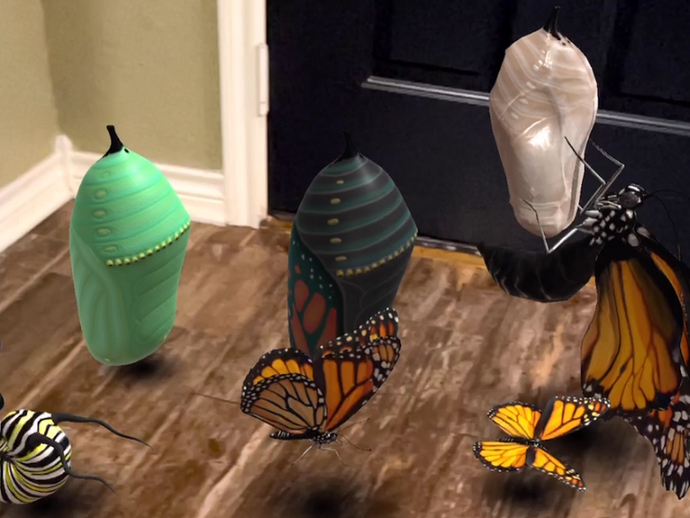
Jaime DonallyMar 23, 20211 min readDay 23: Google WebXRThe Google WebXR experiences have grown to more animals and many more categories.
Jaime DonallyMar 22, 20212 min readDay 22: UtopiaVRThematic rooms like conference buildings, boardrooms, classrooms and viallages are perfect learning environments to bring your students.
Jaime DonallyMar 21, 20212 min readDay 21: Assemblr Studio & EDUThe next big update is a new product called Assemblr EDU. Imagine Google Classroom with 3D/AR capabilities.
Jaime DonallyMar 20, 20212 min readDay 20: RoomScan"3D landscape scanning is the next wave of the future as it uses location anchoring to immediately use latitude, longitude, and altitude."
Jaime DonallyMar 19, 20212 min readDay 19: Google LensInstead of typing a description in the browser, Google Lens scans things like 3D objects, products, text, animals, and more.
Jaime DonallyMar 18, 20212 min readDay 18: ScaniverseThe LiDAR technology is continuing to grow into numerous apps on the iPhone, and Scaniverse is a great example of its power.
Jaime DonallyMar 17, 20212 min readDay 17: MetaverseThe Metaverse application is a massive immersive technology resource for education.
Jaime DonallyMar 16, 20212 min readDay 16: SupernaturalThere are a few games that are physically challenging, but one that I especially love is an app called Supernatural.
Jaime DonallyMar 15, 20212 min readDay 15: ImagineAR StudioOne of the new studios to create augmented reality is ImagineAR. The web-based studio is available on a computers or Chromebooks.
Jaime DonallyMar 13, 20212 min readDay 13: Merge Object Viewer UpdateNot only did the Object Viewer app get a bit of a facelift with the user interface design, but the app no longer requires a Merge Cube.
Jaime DonallyMar 12, 20211 min readDay 12: Google Earth Projects + GamesSince the announcement of Google Tour Creator ending this June, I've enjoyed exploring a great alternative that offers interactive features.
Jaime DonallyMar 11, 20211 min readDay 11: JigSpaceJigSpace delivers an immersive “un-slideshow” of content. The experiences are delivered in 3D presentations that transition “slides”
Jaime DonallyMar 10, 20211 min readDay 10: FrameVRNow that access to VR meeting spaces is widely available through the browser, most people can join using computers and mobile devices.
Jaime DonallyMar 9, 20212 min readDay 9: myWebAR"MyWebAR doesn't require an app to populate the experience; rather it uses the browser (WebXR) on the device to create the AR."
Jaime DonallyMar 8, 20212 min readDay 8: Innovation Meets SafetyReevaluating my own methods made me seek out ways to protect our students and teachers when pursuing innovative resources for the classroom.
Jaime DonallyMar 6, 20211 min readDay 6: Spoke by MozillaOne of my favorite VR creation tools is Spoke by Mozilla. Using the Spoke integration, creating a personalized VR space is unlimited.
Jaime DonallyMar 4, 20211 min readDay 4: DoodleLensDoodleLens brings AR creativity to a new level. Copy and paste images into your space, design scenes, and build animations.
Jaime DonallyMar 2, 20212 min readDay 2: MootUp by LearnBriteThe beauty of virtual reality meeting spaces like MootUp is the flexibility to interact and engage with students.
Jaime DonallyMar 1, 20212 min readDay 1: Halo AROne of the most requested resources is a tool to replace Aurasma/HP Reveal. The new Halo AR app by LightUp brings the same features + more!